
Signing in
How Crustat reads your Claude Code login to show live rate limits.
The live rate-limit % uses the login token that Claude Code already stores in your Mac’s keychain. The first time you open Crustat, macOS shows this prompt:
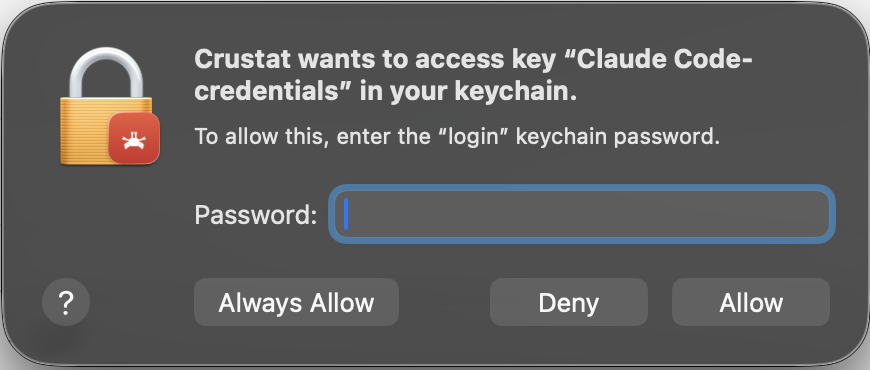
Enter your Mac’s login password and click Always Allow so you’re not asked again. This is expected and safe: the password goes to macOS (not to Crustat) to unlock the keychain item, and Crustat only reads your existing Claude Code login locally to call Anthropic’s own API. The token never leaves your machine except in requests to Anthropic.
Live limits require a Claude subscription login (Pro/Max) in Claude Code. If you use Claude Code with an API key, Amazon Bedrock, or Google Vertex, there’s no subscription login to read, so the limits section stays empty — but token usage and status still work.
Said “Deny” by mistake? See Troubleshooting to re-enable access.